Kajabi Automations: Build Behavior-Driven Workflows

Kajabi Automations turn repetitive course and marketing tasks into rule-driven workflows that run without you lifting a finger, a strategy that can reduce your manual admin work.
The role of Kajabi's automations feature is to replace manual steps — tagging new students, enrolling buyers, sending follow-up sequences, pulling back disengaged contacts — with logic that fires automatically based on what your contacts actually do. You set the rule once, and Kajabi handles the rest. Whether you're on the Growth or Pro plan using the full Visual Automation Builder with branching and filters, or working with Basic Automations on a lower plan, the core idea is the same: your business keeps moving even when you're not watching it. Sierra Lin Design works with coaches and course creators every day who want exactly this kind of hands-free momentum.
Table of Contents
- How Kajabi automations work: triggers, actions, and conditions
- The Visual Automation Builder: flows, branches, and multiple triggers
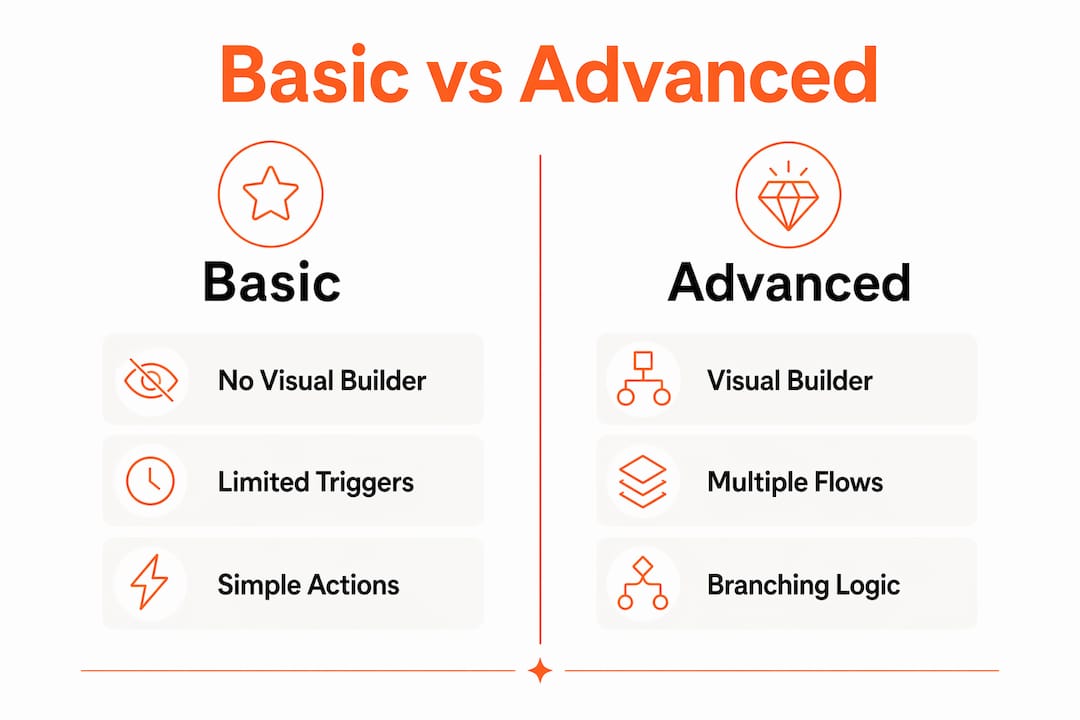
- Basic vs. Advanced Automations: what your plan actually unlocks
- Where automations apply and practical blueprints to steal
- How to build your first automation step by step
- Why visibility and consolidation make your business easier to run
- Known limits, migration notes, and gotchas to avoid
- Key Takeaways
- Why clean automations matter more than most creators realize
- Useful sources and further reading
- FAQ
How Kajabi automations work: triggers, actions, and conditions
Every automation in Kajabi is built around three components. Kajabi's own documentation describes the logic as "when, then, but only if" — and that framing is the clearest way to think about it.
- When (trigger): the event that starts the automation. Common triggers include a purchase, form submission, course completion, tag added or removed, or event registration.
- Then (action): what Kajabi does in response. Actions include adding or removing a tag, granting or revoking offer access, subscribing a contact to an email sequence, or sending a one-off email.
- Only if (conditional filter): an optional layer that narrows who the action applies to. Critically, the "Only if" filter uses "contains" logic, not an exact match. That matters more than it sounds — if your tag is "vip-member" and your filter checks for "vip," it will match. But if formatting is inconsistent across contacts, you'll get false positives.
Automations live in two places inside Kajabi. Advanced Automations are created from the Marketing > Automations tab. Basic Automations appear contextually inside Funnels, Forms, Products, and Events — right where you'd expect them.
The Visual Automation Builder: flows, branches, and multiple triggers
The upgraded Visual Automation Builder is the biggest shift in how Kajabi automations work. Instead of managing a dozen separate automations for related scenarios, you can consolidate related logic into a single, readable view.

Flows let you run multiple trigger-action paths side by side inside one automation. You add a new flow the same way you'd add a new branch — it sits alongside your existing logic rather than stacking on top of it. This is useful when two related triggers (say, "purchase made" and "trial started") should kick off similar but distinct action sequences.
Branching goes one level deeper. After a Then action fires, you can split the path based on a condition — up to 5 branches per Then action. A purchase trigger might branch by product tier: buyers of your core course go down one path, buyers of your VIP upgrade go down another. That replaces what used to require three or four separate automations.
The hard limits to know: each automation supports a limited number of combined triggers and flows, and a limited number of branches per Then action. Hitting those caps is easier than you'd expect when you start consolidating aggressively.
Pro Tip: Start with a small number of branches and add more only when the logic genuinely calls for it. Excessive branching and flows can make an automation as difficult to read and troubleshoot as multiple separate automations.
Basic vs. Advanced Automations: what your plan actually unlocks
Your plan determines how much of Kajabi's automation toolkit you can access.
| Feature | Basic Automations | Advanced Automations (Growth / Pro) |
|---|---|---|
| Visual Automation Builder | No | Yes |
| "Only if" conditional filters | No | Yes |
| Branching logic | No | Up to 5 branches per action |
| Multiple flows per automation | No | Up to 10 triggers/flows |
| Where you create them | Contextual (Funnels, Forms, Products, Events) | Marketing tab + contextual areas |
| Typical use cases | Simple tag-on-purchase, basic enrollment | Behavioral journeys, win-back flows, multi-path onboarding |
Advanced Automations are available on Growth and Pro plans only. Basic plan users can still build useful automations — they just live inside individual features rather than a central hub, and they lack branching and conditional filters. If you're running a course business with more than one product or a meaningful email list, the Growth plan's automation capabilities tend to pay for themselves quickly in time saved.
Where automations apply and practical blueprints to steal
Automations can be attached to nearly every part of your Kajabi account: Funnels, Email Campaigns and Sequences, Events, Forms, Products and Courses, and Contacts (via tags and segments). That coverage means you can build end-to-end client flows without patching in a third-party tool.
Here are five blueprints you can map directly to the builder:
-
New-student onboarding When: Purchase made (specific course). Then: Add tag "student-active," subscribe to welcome sequence, grant product access. Only if: Tag does not contain "existing-student."
-
Multi-tier purchase branching When: Purchase made. Then: Branch — if product contains "vip," add tag "vip-member" and subscribe to VIP sequence; if product contains "core," add tag "core-member" and subscribe to standard sequence.
-
Quiz-based segmentation When: Form submitted (quiz). Then: Add tag based on quiz result. Only if: Custom field contains the relevant answer string. Subscribers then enter the sequence matched to their segment.
-
Inactivity re-engagement When: Tag added ("inactive-60-days"). Then: Subscribe to re-engagement sequence. Only if: Tag does not contain "vip-member" (protect high-value contacts from generic win-back messaging).
-
Post-cancellation win-back When: Offer access revoked. Then: Add tag "churned," subscribe to win-back sequence, remove from active-student sequence. Only if: Tag does not contain "refunded."
Kajabi is also rolling out pre-built automation blueprints for common workflows, which cuts setup time significantly for creators who want a running start. These Kajabi automation tools are worth exploring before you build from scratch.
How to build your first automation step by step
Building a basic automation takes under five minutes once you know the path.
- Go to Marketing > Automations in your Kajabi dashboard.
- Click + Add Automation and give it a clear, descriptive name (you'll thank yourself later).
- Click + Add Trigger and choose your When event from the dropdown.
- Click + Add Action and choose your Then action.
- To add a conditional filter, click + Add Condition under the action and set your "Only if" rule.
- To add a second flow, click + Add Flow and repeat steps 3–5 for the new path.
- Use wait nodes between actions to pace your messaging — don't fire five emails in one day.
- Click Save (and toggle the automation to Active if it isn't already).
Pro Tip: Test every new automation with a sandbox contact before going live. Submit a form, trigger a tag, or make a test purchase, then check that contact's Activity Log to confirm the action fired correctly. This one habit prevents most of the "why didn't this work?" moments.
Why visibility and consolidation make your business easier to run
The Visual Automation Builder consolidates multiple workflows into a single view, and that visibility is more valuable than it sounds. When a contact doesn't receive an expected email, you can open one automation and trace exactly which branch they hit — or didn't hit. With a dozen separate automations, that same troubleshooting takes much longer.

Branching logic shifts your marketing from time-based sequences to behavior-driven journeys. A time-based sequence sends the same message to everyone on day three. A behavior-driven branch sends a different message depending on whether someone opened the previous email, completed a module, or upgraded their plan. That responsiveness is what separates a course business that feels personal from one that feels like a broadcast.
For operational health, keep this checklist in mind:
- Name every automation clearly (include the trigger and purpose, e.g., "Purchase > VIP Onboarding Branch")
- Add notes or comments inside complex automations for future-you
- Monitor your trigger/flow count before consolidating — stay under 10 per automation
- Run a monthly audit to remove duplicates and deactivate stale flows
- Check contact activity logs when troubleshooting, not just the automation settings
As your business scales, clean automation architecture also reduces support tickets. When your onboarding runs like clockwork, new students don't email asking where their login is. That's time back in your day. For coaches scaling their Kajabi ecosystem, this kind of operational clarity compounds fast.
Known limits, migration notes, and gotchas to avoid
A few things will catch you off guard if you don't know about them ahead of time.
Hard limits:
- Max 10 combined triggers and flows per automation
- Max 5 branches per Then action
- "Only if" uses "contains" logic, not exact match
Migration behavior: When you upgrade to the Visual Automation Builder, legacy automations are copied but not merged. You'll see your old automations preserved as separate entries. Consolidating them into the new builder requires manual rebuilding — there's no automatic merge. Test each copied automation with a sandbox contact before deactivating the originals.
Common pitfalls:
- Overly broad "Only if" filters that match unintended contacts due to substring overlaps
- Over-consolidating into one automation until you hit the 10-trigger cap
- Branching so deeply that the automation becomes unreadable
- Using wait nodes incorrectly and stacking messages too close together
Troubleshooting checklist: Check the contact's Activity Log first. Confirm tag formatting matches your filter exactly (consistent lowercase and hyphenation prevents most "contains" misfires). Test your filter with a known sample value before activating. If an action didn't fire, verify the automation is toggled Active and the trigger event actually occurred.
Key Takeaways
Kajabi Automations replace manual tasks with trigger-action logic, and the Visual Automation Builder on Growth and Pro plans adds branching and conditional filters that make behavior-driven journeys possible without managing dozens of separate automations.
| Point | Details |
|---|---|
| Core logic is "when, then, only if" | Every automation needs a trigger and an action; the conditional filter is optional but powerful. |
| Advanced features require Growth or Pro | Branching, "Only if" filters, and the visual builder are locked behind plan upgrades. |
| Hard limits apply | Each automation supports max 10 triggers/flows and max 5 branches per Then action. |
| "Only if" uses "contains" logic | Inconsistent tag formatting causes false positives — standardize naming conventions. |
| Legacy automations don't auto-merge | Upgrading copies old automations; manual rebuilding is required to consolidate them. |
Why clean automations matter more than most creators realize
Most coaches I work with come to Sierra Lin Design with automations that grew organically — one for this launch, one for that course, another someone set up two years ago that nobody's touched. The result is a tangle of overlapping tags, duplicate sequences, and contacts falling through gaps nobody planned for.
The Visual Automation Builder doesn't fix that automatically. It gives you the tools to fix it, but the architecture still has to be intentional. A poorly designed automation with five branches and no naming conventions is harder to maintain than five simple, well-labeled separate automations. The goal isn't consolidation for its own sake — it's clarity.
What I've seen work consistently: treat your automations like you'd treat your website copy. Write them for the person who has to edit them six months from now (usually you, under deadline pressure). Use descriptive names. Add notes. Test before you launch. And if your automation logic is getting complex enough that you're not sure what fires when, that's the moment to bring in a professional rather than guess.
If you're ready to build automations that actually support your client experience, grab the free Kajabi templates from Sierra Lin Design as a starting point, or work with us directly to blueprint your full automation strategy.
Useful sources and further reading
- Best Kajabi features for coaches — how automations fit into client acquisition
- Kajabi expert services — done-for-you automation and site builds
FAQ
What are Advanced Automations in Kajabi?
Advanced Automations are the full-featured automation tier available on Growth and Pro plans. They include the Visual Automation Builder, "Only if" conditional filters, branching logic, and the ability to manage automations from the central Marketing tab.
What is the main purpose of Kajabi Automations?
Kajabi Automations replace manual business tasks — tagging, enrolling, emailing, and removing access — with trigger-based rules that fire automatically when a contact takes a specific action.
What happens to my old automations when I upgrade to the Visual Builder?
Legacy automations are copied into the new builder but are not merged. You'll need to manually rebuild and consolidate them — Kajabi recommends testing each copied automation with a sandbox contact before deactivating the originals.
What are the key features of Kajabi's automation tools?
Kajabi's automation tools include trigger-based workflows (When/Then logic), optional conditional filters ("Only if"), the Visual Automation Builder with branching and flows, pre-built blueprints, and integrations across Funnels, Forms, Products, Events, and Contacts.
Recommended
 Sierra Janisse · Founder of Sierra Lin Design
Sierra Janisse is a verified Kajabi Expert who helps online business owners build profitable websites on Kajabi. From SEO and copywriting to website design, branding, automations and funnel strategy, she is the go-to expert for Kajabi users who want to attract more clients and customers with their websites.
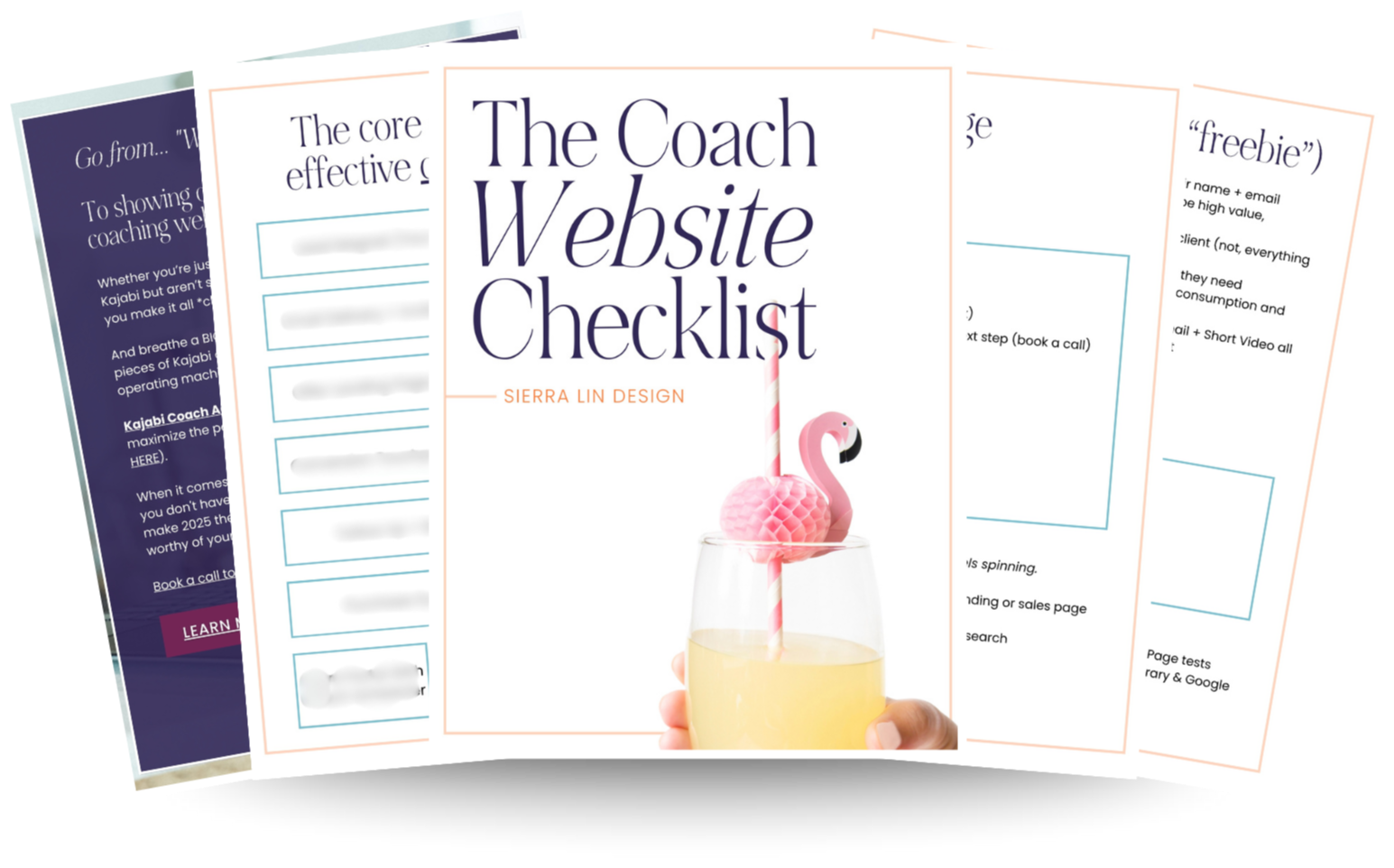
🚨Get the FREE Checklist
Skip the Kajabi tears—Swipe the free Website Checklist & Funnel Map
Exactly what should go where on your Kajabi site to maximize leads.