Kajabi vs Teachable: A Side-by Side Comparison
You've narrowed your platform search down to Kajabi vs Teachable, and now you're feeling stuck. Both sell online programs. Both have glowing reviews. So which one actually fits a coaching or service-based business?
Almost every comparison I've personally read is aimed at people selling self-paced courses. But that’s not really how a business works. You're booking calls and running a group program, and your email list is what keeps both of them booked and busy. If your platform can't handle that, you end up duct-taping five separate tools together and praying they sync (and probably rebuilding next year).
I've been building on Kajabi for 7 years now (and I've poked around its biggest competitors more times than I can count). So let's take a closer look at how Kajabi and Teachable compare for online business owners from scheduling to pricing.
Kajabi vs Teachable: The Quick Answer
Kajabi is the better choice for most because it was built to run a whole business, not just a course library. Teachable is cheaper to start, and it's a solid choice for a course platform. But those on Teachable usually end up paying for an email tool and a booking tool on the side, and that eats the savings pretty fast. I have built courses on Teachable in the past, but have moved away from it now because of the reasons I layout in this post.
Here’s a side-by-side comparison of the top things you’re probably considering when picking between the platforms.
|
Feature |
Kajabi |
Teachable |
|
Best for |
Business owners running their whole business in one place |
Course sellers who already have other tools |
|
Starting price (billed annually) |
$143/month |
$29/month |
|
Platform transaction fee |
None with Kajabi Payments |
7.5% on Starter, 0% on Builder and up |
|
Coaching |
1:1 and group, built-in scheduler and live video |
1:1 milestones, plus a paid Calendly plan for booking |
|
Email marketing |
Unlimited marketing emails on every plan |
Custom emails on Builder and up |
|
Website and blog |
Full website builder with a blog |
Sales and landing pages, blog through a third-party tool |
|
Community |
Included on every plan |
Closed to new schools |
|
Free trial |
14 days (30 days with my link below) |
7 days |
What's the Difference Between Kajabi and Teachable?
The biggest difference in the Teachable vs Kajabi debate is what each platform was built to do. Teachable was built to host and sell courses. Kajabi was built to run a whole online business, with your website, email list, coaching, and community in one place.
- Teachable is a course-first platform. Lessons, quizzes, certificates, payments, even sales tax, all handled nicely. Your main website and your newsletter usually live somewhere else.
- Kajabi is an all-in-one business platform. Your website, coaching or service-based products, email marketing, funnels, community, and checkout all live under one login. If you’re new to the platform, I’d recommend starting with this overview of what Kajabi is and how it works.
Your clients do more than watch videos. They find you, book a call, buy a program, and (hopefully) come back for more.
Kajabi vs Teachable Feature Breakdown
My take is that Kajabi wins on the things a business owner touches every day - scheduling, a real website, and a community for your group clients. Teachable holds its own on course delivery and student tools, though. So let’s break it all down feature by feature.
Coaching Tools and Scheduling
Kajabi's coaching product supports both 1:1 and group coaching. Sell a single session or a package, run group calls with up to 200 people on Kajabi's built-in video, and keep private notes on every client. The Kajabi Scheduler syncs with Google Calendar or Outlook, so clients book right from your site. No separate app.
Teachable coaching works differently. A coaching product there is a series of milestones, and you can attach intake forms and meeting links to them. But scheduling through Calendly requires a Professional Calendly account (yep, another subscription).
If coaching is the heart of your business, this alone might decide it. See my setup in this guide to Kajabi coaching.
Website and Sales Pages
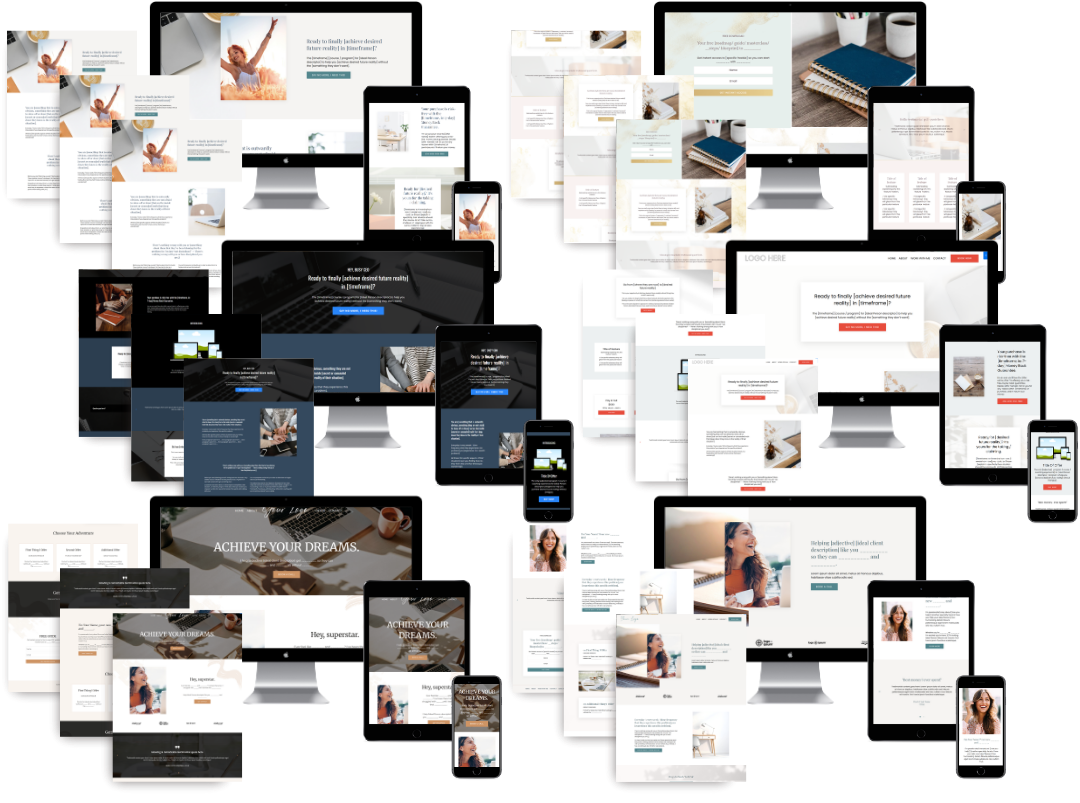
Kajabi gives you a full website builder, so your homepage, about page, sales pages, blog, and opt-in pages all live on your own domain. It's what I build every gorgeous custom Kajabi site on.
Teachable's site builder covers landing pages, sales pages, and about and contact pages. For a blog, Teachable points you to a third-party tool.
Take a peek at some of the best Kajabi websites I loved building.
Email Marketing and Automations
This is a big one for you to consider because your email list is where most of your clients say yes.
Kajabi email marketing comes with unlimited marketing emails on every plan, plus automations that tag contacts, send sequences, and grant access when someone buys. Your welcome sequence, launch emails, and client onboarding run on their own.
Learn more about Kajabi automations.
On Teachable, custom emails are available on the Builder plan and up, and only to people enrolled in your school. Your newsletter and nurture sequences still need a separate email platform.
Funnels and Selling
Kajabi includes unlimited funnels and landing pages on every plan, so you can build a path from a free download to a discovery call to a paid program, all in one place. I go deeper on Kajabi funnels and how they work.
Teachable has a nice checkout, with coupons, upsells, order bumps, and bundles. But a checkout isn't a funnel. There's no built-in way to move someone from a freebie to a discovery call to your program, so that piece ends up in another tool.
Community and Memberships
Kajabi includes a community on every plan, so your group coaching clients can connect between calls. You can also run memberships with recurring payments.
Teachable offers memberships, but its community feature is in maintenance mode and no longer available for new schools. A group space means yet another platform.
Courses and Student Experience
This is where Teachable shines. Quizzes, certificates, course compliance, and drip content are all strong, and it handles U.S. sales tax and EU and UK VAT for you.
Kajabi has quizzes, drip content, and a client mobile app too, so you're not giving up much.
Kajabi vs Teachable Pricing
The bottom line is that Teachable seems cheaper up front, but Kajabi often costs less once you add up everything a business owner runs alongside it.
Kajabi Pricing
According to Kajabi's pricing page, plans cost:
- Basic: $143/month billed annually, or $179 month-to-month, for 5 products and 2,500 contacts
- Growth: $199/month billed annually, or $249 month-to-month, which bumps you to 50 products and 25,000 contacts
- Pro: $399/month billed annually, $499 if you pay monthly. Unlimited products and 100,000 contacts
Kajabi doesn't take a revenue share. With Kajabi Payments you pay standard card processing, and if you use an outside processor like Stripe, Kajabi adds a 2% fee on Basic, 1% on Growth, and 0.5% on Pro. Learn more about Kajabi pricing and which plan most need.
Teachable Pricing
According to Teachable's pricing page, plans cost:
- Starter: $29/month billed annually, or $39 month-to-month. You get 5 products, plus a 7.5% transaction fee on every sale
- Builder: $69/month billed annually ($89 month-to-month) for 10 products, and the transaction fee drops to 0%
- Growth: $139/month billed annually or $189 month-to-month. 50 products and no transaction fee
What You’ll Actually Pay
Teachable transaction fees are where this gets tricky. That 7.5% Starter fee adds up fast.. On a single $2,000 package, it's $150, before card processing.
And on Builder? You've saved $74 a month against Kajabi Basic, sure. Now add the email platform, scheduling tool, community app, and separate website you'll probably need. Price the whole stack.
- Choose Kajabi if: You'd rather run everything from one login than become your own tech department.
- Choose Teachable if: Self-paced courses are your main thing and your email, booking, and website tools are already set up (and you like them).
Already leaning toward Kajabi? I build custom Kajabi platforms for coaches and service providers as a Kajabi web designer and strategist, so your site, programs, and automations work together from day one.
When Teachable Might Be the Better Fit
Teachable isn't wrong for everyone. In my experience, it makes sense when:
- You only sell courses and don't offer coaching sessions or group programs.
- You're testing your first course on a tight budget.
- Your website, email list, and booking tool already live elsewhere, and you love them.
- You need strong course compliance tools, like certificates and required lesson completion.
But if you plan to grow an email list, sell programs, and book clients from your site, starting on Kajabi saves you a messy migration later. For the full picture, read my Kajabi review after seven years on the platform.
Still comparing options? Take a look at this Kajabi comparison to see how it stacks up against Thinkific, ClickFunnels, and more.
Can You Move From Teachable to Kajabi?
Yes, but plan for it. Kajabi doesn't offer free in-house migration services, so moving your videos, students, email list, and pages is a hands-on project. Your design doesn't transfer either, so you'll rebuild your pages in Kajabi. This is something I can help with, though!
If you elect the DIY route, make sure to plan accordingly. You’ll need to rebuild your products and pages in Kajabi first, import your contacts, set up your automations, and test every checkout before you send students over. Then switch your domain and close the old school.
I've moved business owners off Teachable (and Squarespace, Wix, and WordPress) and into Kajabi, so I say this with love… choose carefully up front to avoid big issues later.
FAQs
Is Kajabi Better Than Teachable?
Yes, I believe Kajabi is better than Teachable. Kajabi includes a website, coaching scheduler, email marketing, funnels, and community on every plan, so you run your whole business from one place. Teachable is the better pick for course-only sellers who want a lower starting price and already pay for separate email and booking tools.
Which Is Cheaper, Kajabi or Teachable?
On first glance, Teachable is the cheaper option. It starts at $29 a month billed annually versus $143 for Kajabi. But Teachable's Starter plan charges a 7.5% transaction fee, and most add separate email, scheduling, and website tools on top. Total everything up, and it’s actually not cheaper at all.
Can You Do Coaching on Teachable?
Yes, but with a caveat. Teachable's coaching product is built around milestones, intake forms, and meeting links, and Calendly scheduling requires a paid Professional Calendly account. The help docs only cover 1:1 coaching. Kajabi supports 1:1 and group coaching with its own scheduler and live video built in.
What Are the Downsides of Kajabi?
Price, mostly. Kajabi's Basic plan starts at $143 a month billed annually, well above Teachable's $29. It also takes time to learn, and a rushed setup leaves you with broken automations and a monthly charge you feel guilty and frustrated about. That's why I push for a strategic setup with someone like me from day one.
Does Teachable Have a Free Plan?
No. Teachable is a paid platform, though it offers a 7-day free trial and a 30-day money-back guarantee. Kajabi doesn't have a free plan either. The standard Kajabi free trial runs for 14 days, but if you use my affiliate link, you can get 30 days free instead. Every Kajabi plan comes with a 30-day money-back guarantee if it isn't the right fit.
So, Should You Choose Kajabi or Teachable?
After comparing Kajabi vs Teachable side by side, I keep landing in the same spot… which is that for most business owners, Kajabi is the better investment. Teachable is a great course platform, but most businesses just need more than course hosting.
So, is Kajabi worth it? For those who want one home for their whole business, I think so.
But something to keep in mind is that Kajabi only pays off when it's set up strategically. That means ensuring your gorgeous website is set up correctly and not sitting on top of broken automations that won't help you book clients.
That's exactly what I build for coaches and service providers in my Kajabi Accelerator, a done-for-you Kajabi buildout that includes:
- Offer and product strategy coaching
- Brand design
- Website copywriting
- SEO strategy
- Custom Kajabi website design
- Client flow planning and automation setup
- A launch-with-ease gameplan
Ready to try the platform first? Use my special links to get 3 months for just $99 or try Kajabi free for 30 days.
✨ Learn more about the Kajabi Accelerator, or book a call with me here.
 Sierra Janisse · Founder of Sierra Lin Design
Sierra Janisse is a verified Kajabi Expert who helps online business owners build profitable websites on Kajabi. From SEO and copywriting to website design, branding, automations and funnel strategy, she is the go-to expert for Kajabi users who want to attract more clients and customers with their websites.
🚨Get the FREE Checklist
Skip the Kajabi tears—Swipe the free Website Checklist & Funnel Map
Exactly what should go where on your Kajabi site to maximize leads.