Your First Kajabi Product Creation Workflow

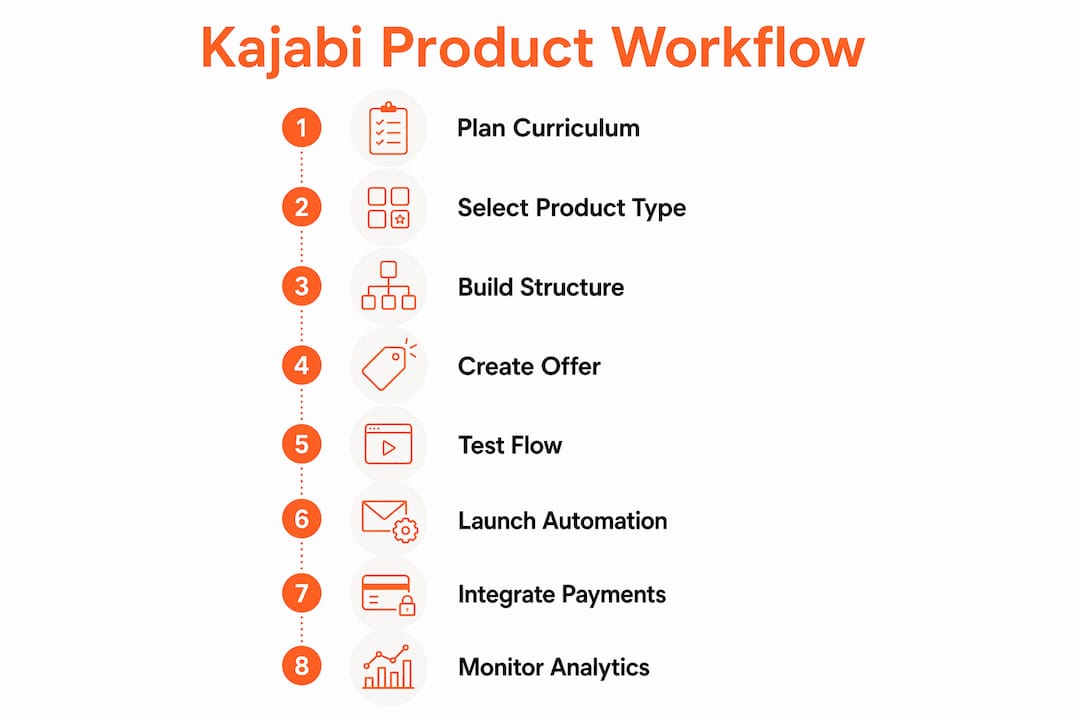
Your first Kajabi product creation workflow follows a clear sequence: plan your curriculum, build your product structure inside Kajabi, create an Offer to handle pricing and checkout, then test the full purchase-to-access flow before you go live. Get those four stages right and your launch runs like clockwork.
Here's what the workflow covers at a glance:
- Build product structure first. Kajabi organizes content as Products (Courses, Coaching programs, Backstage) made up of modules and lessons or coaching sessions.
- Create an Offer second. The Offer is the purchasing vehicle your customers interact with at checkout. Products and Offers are separate things, and that distinction trips up a lot of first-timers.
- Configure pricing inside the Offer. One-time payments, payment plans, and subscriptions all live here, not inside the Product itself.
- Test before you launch. Run a real transaction with a test account to verify payment processing, content access, and post-purchase automations.
Supporting all of this: curriculum planning before you touch the platform, email sequences and automation wired to your Offer, payment gateway setup, and post-launch analytics monitoring.
Table of Contents
- 1. Plan your curriculum before you open Kajabi
- 2. Choose the right Kajabi product type for your coaching style
- 3. Build your product structure inside Kajabi
- 4. Create your Offer and configure pricing and checkout
- 5. Test your purchase and access flow before launch
- 6. How Sierra Lin Design supports your Kajabi product setup
- 7. Set up your product launch email sequences and automation
- 8. Integrate payment gateways and handle taxes in Kajabi
- 9. Monitor product analytics and engagement after launch
- Your Kajabi product deserves a brand that matches your expertise
- FAQ
- Key Takeaways
1. Plan your curriculum before you open Kajabi
Planning your curriculum before you build inside Kajabi is the single move that saves the most time. Coaches who skip this step end up restructuring modules mid-build, which costs hours and creates messy content hierarchies.
Map your client journey or course outline first:
- Define your transformation. What does your client know or achieve by the end? Work backward from that outcome to your module topics.
- Group content into modules. Each module should represent one clear milestone or theme. Lessons live inside modules.
- Name everything intentionally. Your product name, module titles, and lesson names all affect how students navigate and how Kajabi surfaces your content in search.
- Think about pacing. Will students move at their own speed (Evergreen), progress with a cohort group, or work with you in live sessions? Your answer determines which product type you build.
- Consider SEO at the naming stage. A product title like "90-Day Business Clarity Program" tells both Google and your prospective clients exactly what they're getting.
Pro Tip: Draft your full module and lesson outline in Notion, Google Docs, or even a simple spreadsheet before logging into Kajabi. Clear pre-planning drastically reduces the time you spend inside the platform and prevents structural revisions later.
2. Choose the right Kajabi product type for your coaching style
Kajabi offers several product types, and picking the wrong one means rebuilding. The three most relevant for coaches and consultants are Courses, Coaching programs, and Backstage.
- Course works best for self-paced content delivery. It follows a strict hierarchy: Course > Modules > Lessons, with optional quizzes. You can lock modules via quiz prerequisites to control student pacing, or drip content on a schedule. Kajabi also offers Cohort Courses if you want students to move through material together on a set timeline.
- Coaching product suits high-touch coaches who deliver structured, personalized sessions. It integrates scheduling directly inside Kajabi (via the Kajabi Scheduler, Calendly, or a custom link), supports 1:1 and group formats, and keeps session agendas and resources in one place.
- Backstage is designed for membership-style access and ongoing content delivery.
A few things worth knowing about Courses specifically:
- Modules can contain up to 30 submodules (I've never had a client run into this issue, even after launching hundreds of Kajabi sites -- so likely no need to worry!)
- Lessons support video, audio, written content, and downloadable files.
- You can't drip or lock individual lessons; apply drip or lock settings at the module level instead, using a single-lesson module as a workaround.
- Kajabi's AI can generate a course outline with modules and lessons automatically when you create a new Course, which is a solid starting point if you're building from scratch.
Simple coaching services with minimal content can actually skip full Product creation entirely and sell directly via an Offer linked to a landing page and an external scheduling tool. Worth knowing before you over-engineer your setup.
3. Build your product structure inside Kajabi
Once you've chosen your product type, the build itself is straightforward. For a Course:
- Go to Products > Courses from your Dashboard and click + New Course.
- Choose Evergreen or Cohort, enter your title and description, and set your branding colors.
- Add modules via + Add Content, then add lessons inside each module.
- Set each lesson's status to Published when it's ready; leave drafts hidden until you're done.
- Configure drip schedules or module locks under the Status menu on the Course Outline page.
For a Coaching program, the flow is slightly different: you set the number of sessions, choose 1:1 or Group, connect your scheduling tool, set session duration, and then customize the program's appearance and pricing.
Keep your branding consistent across your product thumbnail, module images, and lesson headers. This is where a lot of coaches end up with that generic Kajabi look. Custom colors, fonts, and imagery make a real difference in how clients perceive the value of what they've purchased.

4. Create your Offer and configure pricing and checkout
Your Offer is what customers actually buy. It links to your Product and handles all the transactional details. Here's how to set it up:
- Pricing types available: one-time payment, payment plan (weekly, monthly, or yearly installments with a set number of payments), subscription (recurring weekly or monthly billing), or free access.
- Currency and billing intervals are set inside the Offer, not the Product.
- Checkout customization lets you control branding, what information you collect from buyers, and whether you include a service agreement.
- Paywall option: you can enable limited Course access so prospects experience a preview before purchasing the full program.
- Pre-selling works here. You can launch pricing and checkout before your product content is fully built, which lets you validate demand and collect revenue early.
Connect your Offer to a landing page or sales funnel inside Kajabi so the purchase flow is seamless. Optimizing that checkout page experience directly affects your conversion rate, so don't treat it as an afterthought.
5. Test your purchase and access flow before launch
Testing is non-negotiable. A broken checkout or a missing welcome email on launch day damages trust fast.
- Create a test account with a separate email address and go through the purchase flow as a student would.
- Run a real transaction to confirm payment processing works end to end. Kajabi Payments supports this natively.
- Check content access: verify that the right modules are visible, drip schedules are firing correctly, and any locked modules behave as expected.
- Test downloads and quizzes to confirm files are accessible and quiz prerequisites trigger module unlocks properly.
- Trigger your automations: make sure post-purchase emails send, tags apply, and any pipeline steps fire in the right sequence.
Pro Tip: Test on both desktop and mobile before launch. A lot of your clients will access your program on their phones, and layout issues that look fine on a laptop show up immediately on a smaller screen.
6. How Sierra Lin Design supports your Kajabi product setup
Getting the tech right is one thing. Getting it to look and feel like your brand is another.
Sierra Lin Design works with U.S.-based coaches and consultants to build out their Kajabi products, offers, and automations from the ground up. That means custom branding applied across your course pages, checkout, and email sequences, not the boxy default Kajabi look. Clients consistently describe the experience as having their vision captured and executed beyond what they expected. You can also grab free Kajabi templates to get a head start on your build.
7. Set up your product launch email sequences and automation
Kajabi's built-in automation tools let you wire up your entire post-purchase experience without a third-party email platform. When a customer completes checkout, you can trigger a welcome email sequence, apply tags, enroll them in a pipeline, or send them directly to a specific page.
For a product launch, build at least three automated touchpoints: a welcome email that delivers login details and sets expectations, a day-three check-in that encourages progress, and a day-seven nudge that highlights a key module or quick win. These run automatically for every new student, which means your onboarding works even when you're not at your desk.
Pre-launch sequences matter too. Connect your Offer to a waitlist or opt-in form, then use Kajabi's email broadcasts to build anticipation before your cart opens.
8. Integrate payment gateways and handle taxes in Kajabi
Kajabi Payments is the native payment processor and the simplest option for U.S.-based coaches. It supports multiple billing intervals within a single Offer, handles card processing, and deposits funds directly to your connected bank account. You can also enable additional payment options at the Offer level.
For taxes, Kajabi does not automatically calculate or remit sales tax on your behalf. If you're selling digital products to U.S. customers, your tax obligations vary by state. Consult a U.S.-based tax professional to determine whether you need to collect and remit sales tax in the states where your customers are located. Some coaches use a third-party tool like TaxJar or Avalara to manage this, connected via Kajabi's integrations or Zapier.
For a deeper look at how Kajabi payment processing works in practice, that's worth a read before you go live.
9. Monitor product analytics and engagement after launch
Kajabi's analytics dashboard shows you enrollment numbers, lesson completion rates, and revenue by product and offer. Check these weekly in the first month after launch. Low completion on a specific module often signals a content or pacing issue, not a motivation problem on the student's side.
Watch for drop-off points in your course outline. If students consistently stop at Module 3, that module may be too long, too dense, or poorly sequenced. Use that data to refine your content before your next cohort or enrollment period.
Email open rates and click-through rates on your automated sequences are equally telling. A low open rate on your welcome email usually means your subject line needs work or your sender name isn't recognizable. Fix those early and your entire onboarding sequence performs better.
Your Kajabi product deserves a brand that matches your expertise
You've done the work to build a great program. Sierra Lin Design makes sure your Kajabi website and product pages actually look like it. As a custom Kajabi web designer for coaches and consultants, the focus is on bespoke design, strategic automation, and a client experience that converts, without the cookie-cutter templates or the tech headaches. Whether you need your first product set up from scratch or a full website overhaul, the process is hands-on and built around your brand. Explore what's possible by browsing the client portfolio.
FAQ
What's the difference between a Kajabi Product and an Offer?
A Product is your content structure (modules, lessons, coaching sessions). An Offer is the checkout vehicle customers use to purchase access to that Product, and it's where you set pricing, billing intervals, and payment methods.
Can I sell on Kajabi before my course content is finished?
Yes. You can pre-sell via an Offer with a live checkout page before your product content is fully built, which lets you validate demand and generate revenue early.
Which Kajabi product type is best for coaches?
High-touch coaches who deliver live sessions typically get the most from Kajabi's Coaching product, which includes integrated scheduling and session management. Course products work better for self-paced content delivery.
Does Kajabi handle sales tax automatically?
No. Kajabi Payments processes transactions but does not calculate or remit sales tax on your behalf. U.S.-based coaches should consult a tax professional to determine their state-by-state obligations for digital product sales.
How does Sierra Lin Design help with Kajabi product setup?
Sierra Lin Design builds custom Kajabi websites and product setups for coaches and consultants, handling branding, automation, and client flow design so your platform reflects your expertise from day one.
Key Takeaways
Your first Kajabi product creation workflow requires planning your curriculum structure before building, choosing the right product type, configuring your Offer for pricing and checkout, and testing the full purchase-to-access flow before launch.
| Point | Details |
|---|---|
| Plan before you build | Map your full curriculum or client journey before opening Kajabi to avoid structural revisions mid-build. |
| Products and Offers are separate | Your Product holds the content; your Offer is what customers purchase and where pricing lives. |
| Match product type to delivery style | Use Kajabi's Coaching product for live sessions and Course for self-paced content delivery. |
| Test the full flow before launch | Run a real transaction with a test account to verify payments, content access, and post-purchase automations. |
| Sierra Lin Design | Provides custom Kajabi product setup, branding, and automation for U.S.-based coaches and consultants. |
Recommended
 Sierra Janisse · Founder of Sierra Lin Design
Sierra Janisse is a verified Kajabi Expert who helps online business owners build profitable websites on Kajabi. From SEO and copywriting to website design, branding, automations and funnel strategy, she is the go-to expert for Kajabi users who want to attract more clients and customers with their websites.
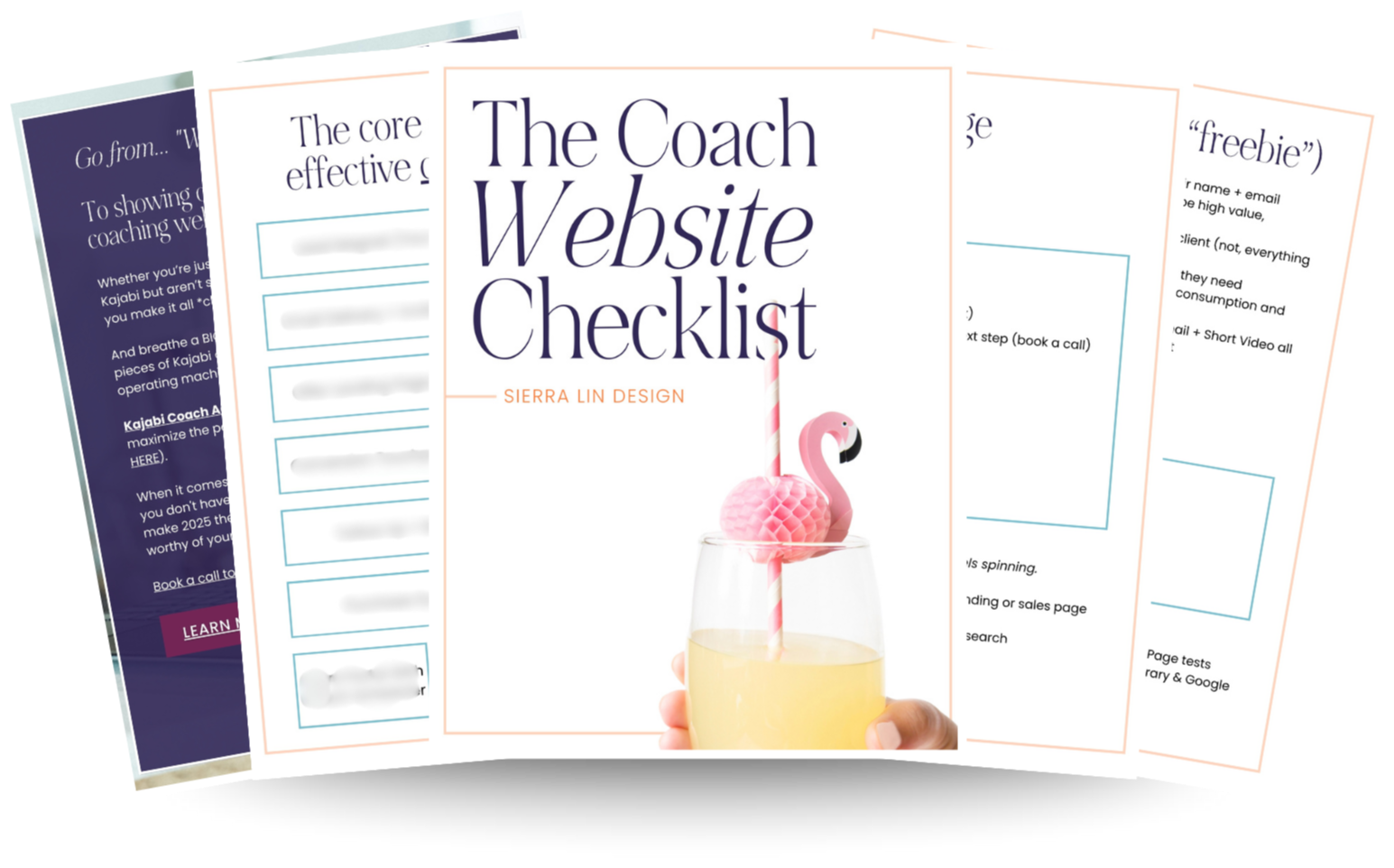
🚨Get the FREE Checklist
Skip the Kajabi tears—Swipe the free Website Checklist & Funnel Map
Exactly what should go where on your Kajabi site to maximize leads.