Kajabi Payment Processing Explained

Kajabi Payment Processing is the built-in payment system that lets users accept money directly inside Kajabi, without needing a separate merchant account. It supports credit cards, digital wallets like Apple Pay and Google Pay, and Buy Now Pay Later options like Afterpay and Klarna. The fees are competitive, but the full picture is more nuanced than Kajabi's "0% transaction fee" headline suggests. Understanding how Kajabi payments work before you launch saves you from billing surprises that quietly eat into your course revenue.
What are the fees involved in Kajabi payment processing?
Kajabi Payments charges a base card processing fee that varies by your subscription plan. The standard card fees break down as follows:
- Basic plan: 2.9% + $0.30 per transaction
- Growth plan: 2.8% + $0.30 per transaction
- Pro plan: 2.7% + $0.30 per transaction
These rates are in line with what Stripe charges independently. That alignment matters because it means you are not paying a premium just for the convenience of staying inside Kajabi.
Surcharges that catch coaches off guard
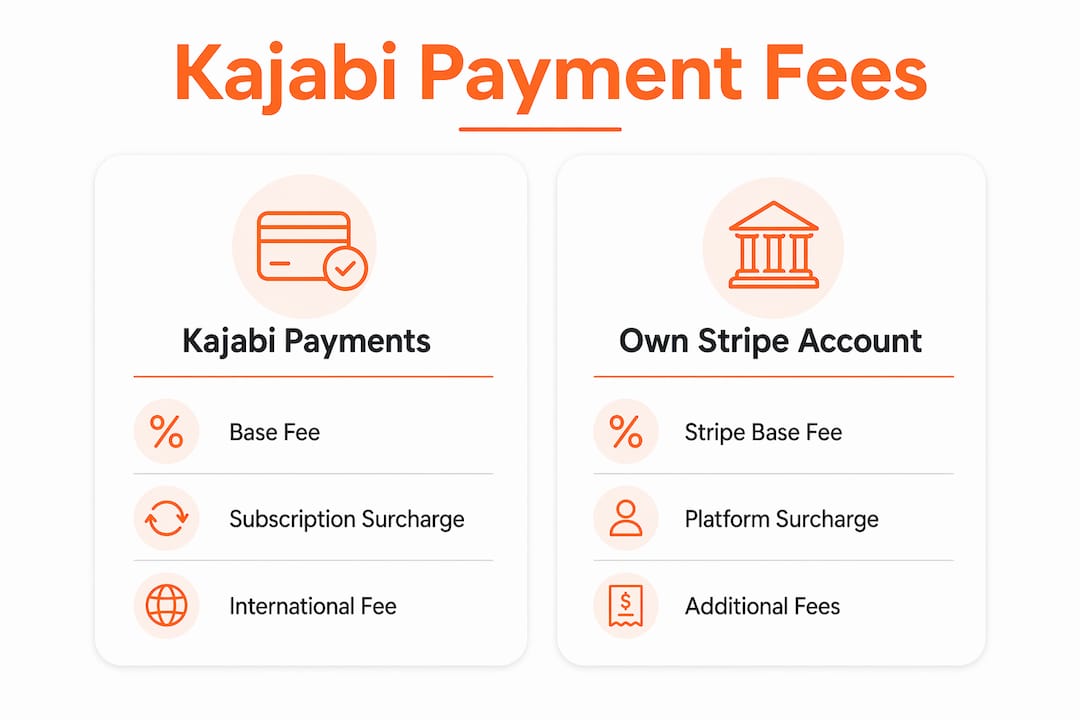
The base rate is only part of the story. Kajabi adds a 0.7% surcharge on top of the base fee for any subscription or installment payment. If your coaching program runs on a monthly payment plan, every recurring charge carries that extra cost. For a $200/month membership, that is an additional $1.40 per transaction per member, every single month.
International sales carry their own penalty. Kajabi Payments adds a 1.5% fee on top of the base rate for any card issued outside the United States. If you have a global audience, that adds up fast and should factor into your pricing from day one.
Buy Now Pay Later options like Afterpay and Klarna carry the steepest fees. BNPL transactions cost 6% + $0.30 per sale on all plans. That fee is non-negotiable regardless of your subscription tier.
Pro Tip: Price your BNPL offers with the 6% fee already baked in. If your course sells for $500 and you offer a BNPL option, your net on that transaction is roughly $469.70 before other costs. Adjust your pricing accordingly so BNPL does not quietly shrink your margins.
What happens if you use your own Stripe account?
Kajabi allows you to connect a personal Stripe account instead of using Kajabi Payments. The catch is a platform surcharge on top of Stripe's standard fees. Platform surcharges run 2% on the Basic plan, 1% on Growth, and 0.5% on Pro. On the Basic plan, that means you pay Stripe's 2.9% + $0.30 plus an additional 2% to Kajabi. That combination is significantly more expensive than using Kajabi Payments directly.
How does Kajabi payment processing work technically?
When a customer checks out on your Kajabi offer page, the payment flows from their card through Kajabi's payment infrastructure to the acquiring bank, then settles into your connected bank account. The whole process runs inside Kajabi's checkout module, which means no redirects to external payment pages and no third-party cart abandonment risk.

Kajabi Payments integrates with Apple Pay, Google Pay, Cash App Pay, Afterpay, and Klarna, giving customers one-tap checkout options on mobile. Digital wallets and BNPL options increase conversions by up to 30%. That conversion lift is real, and it is one of the strongest arguments for enabling these payment methods even with their higher fees.
Tax handling and accounting sync
Kajabi Payments automates tax calculations and supports regional onboarding in the US, UK, EU, Canada, and Australia. Tax compliance is handled natively, which removes a significant administrative burden for coaches selling across borders. The platform also syncs with QuickBooks and Xero, so your transaction data flows directly into your accounting software without manual exports.
ACH Direct Debit is available for invoice-based payments. ACH settlements take approximately 4 business days to clear. That delay affects when your customer gets access to their purchase, so you need to configure your product access settings to account for the settlement window.
- Checkout integrates directly with Kajabi offers, memberships, and courses
- Subscription billing runs automatically with no manual invoicing
- Payment data feeds into Kajabi's analytics dashboard in real time
- Tax collection adjusts by region based on customer location
- Accounting sync with QuickBooks and Xero reduces bookkeeping time
Kajabi Payments vs. your own Stripe account: what is the real trade-off?
The cost comparison is straightforward. Kajabi Payments is cheaper on every plan when you factor in the platform surcharge that applies to external Stripe accounts. On the Basic plan, using your own Stripe account costs you 4.9% + $0.30 per transaction. Kajabi Payments on the same plan costs 2.9% + $0.30. The math strongly favors Kajabi Payments for most coaches.
The more important trade-off is data portability. Subscription payment data stored in Kajabi Payments is not portable. If you ever migrate to another platform, your subscribers must re-enter their payment information. That friction causes real churn. Changing platforms from Kajabi Payments risks 15–25% subscription churn. For a membership with 200 paying subscribers, that could mean losing 30–50 members during a migration.
When using your own Stripe account makes sense
Kajabu users who plan to run a long-term business on Kajabi and have no intention of migrating should use Kajabi Payments without hesitation. The lower fees and native integration make it the better choice for the vast majority of course creators.
Business owners who are testing Kajabi before committing, or who already have a large subscriber base on Stripe with complex billing logic, may prefer to keep their own Stripe account. The higher fees are the cost of flexibility and data control.
Pro Tip: If you are just starting out, go with Kajabi Payments. The fee savings compound over time, and the native checkout experience converts better. You can always reassess once your business is established and you have a clearer picture of your long-term platform strategy.
| Consideration | Kajabi Payments | Own Stripe account |
|---|---|---|
| Base card fee (Basic plan) | 2.9% + $0.30 | 2.9% + $0.30 (Stripe) + 2% (Kajabi) |
| Subscription surcharge | 0.7% | 0.7% |
| Data portability | Not portable | Portable |
| Migration churn risk | High | Lower |
| Setup complexity | Minimal | Moderate |
How to set up Kajabi payments for your business
Setting up Kajabi Payments is straightforward, but a few configuration decisions matter more than most coaches realize.
- Select your country during onboarding. Kajabi Payments is available in the US, UK, EU, Canada, and Australia. Your country selection determines which tax rules and currencies apply to your account.
- Complete identity verification. Kajabi requires standard KYC (Know Your Customer) verification before you can accept live payments. Have your business details and bank account information ready.
- Enable digital wallet options. Go into your payment settings and turn on Apple Pay, Google Pay, and Cash App Pay. These take under two minutes to activate and meaningfully improve mobile checkout conversion.
- Configure subscription pricing with surcharges in mind. Add the 0.7% subscription surcharge to your cost calculations before setting your membership price. If your target net revenue is $97/month, price accordingly.
- Set ACH access rules. If you plan to accept ACH Direct Debit for invoices, configure your product access settings to grant access after the 4-business-day settlement window, not immediately on purchase.
- Connect QuickBooks or Xero. Link your accounting software inside Kajabi's settings so every transaction syncs automatically. This saves hours of manual reconciliation each month.
- Test your checkout before launching. Run a $1 test transaction through your live checkout to confirm payment capture, email delivery, and product access all trigger correctly.
Pro Tip: For international sales, consider pricing in USD even if your audience is global. Currency conversion happens on the customer's end, and you avoid the complexity of multi-currency accounting while still reaching international buyers.
Business owners who want to see how Kajabi features connect with payment setup will find that the platform's offer builder and payment configuration work together tightly. Getting both right from the start means your client flows run like clockwork from day one.
Key Takeaways
Kajabi Payments is the most cost-effective payment option for Kajabi users, but surcharges on subscriptions, international sales, and BNPL options require careful pricing to protect your margins.
| Point | Details |
|---|---|
| Base fees vary by plan | Fees range from 2.9% + $0.30 on Basic to 2.7% + $0.30 on Pro. |
| Subscription surcharge applies | Every recurring payment carries an additional 0.7% fee on top of the base rate. |
| BNPL fees are steep | Afterpay and Klarna transactions cost 6% + $0.30 regardless of your plan. |
| Data portability is limited | Migrating away from Kajabi Payments risks 15–25% subscription churn. |
| Native integrations add real value | Tax automation and QuickBooks/Xero sync reduce admin work significantly. |
What I have learned about Kajabi Payments
The number that trips users up most is not the base processing fee. It is the subscription surcharge. Kajabi markets a "0% platform fee," and technically that is true. But the actual costs include multiple surcharges that most creators overlook until they run their first month's numbers. I have seen experts launch a $97/month membership, assume they are keeping $94 after fees, and then realize the subscription surcharge, plus the base rate, brings their net closer to $90. That gap matters when you are scaling.
The platform lock-in concern is real, but I think it is overblown for most. If you are building a sustainable business on Kajabi, you are not migrating every two years. The fee savings from Kajabi Payments compound significantly over time, and the native checkout experience genuinely converts better than redirecting customers to an external payment page. The business owners I work with who use Kajabi Payments consistently report cleaner operations and fewer billing support issues.
My honest recommendation is to use BNPL options thoughtfully, not reflexively. The 6% + $0.30 fee is high. But for a $1,000 course, offering Afterpay or Klarna can open your program to buyers who would not otherwise convert. Price the BNPL option slightly higher than your upfront price to cover the fee, and you capture a segment of your audience without sacrificing margin.
Monitor your transaction costs monthly, not quarterly. Kajabi's analytics dashboard shows you exactly what you are paying in fees. Reviewing that number regularly keeps you honest about your actual profit margins and gives you data to make smarter pricing decisions.
Your Kajabi site should work as hard as your payment setup
Getting your payment configuration right is only half the equation. The other half is making sure your Kajabi site actually converts the visitors who reach your checkout page. A checkout that loads slowly, looks generic, or lacks trust signals loses sales before the payment processor ever gets involved.
At Sierra Lin Design, we build custom Kajabi websites that are designed to convert, not just look good. Every design decision, from your offer page layout to your checkout flow, is made with your client acquisition goals in mind. If you want a Kajabi site that works with your payment setup rather than against it, take a look at what we build. You can also grab our free Kajabi templates to get a feel for what a well-structured Kajabi site looks like before you commit to a full custom build.
FAQ
What payment methods does Kajabi Payments support?
Kajabi Payments supports credit and debit cards, Apple Pay, Google Pay, Cash App Pay, Afterpay, and Klarna. Digital wallet and BNPL options are available on all plans.
Does Kajabi charge transaction fees on top of processing fees?
Kajabi charges zero platform commission when you use Kajabi Payments. However, surcharges apply for subscriptions (0.7%), international cards (1.5%), and BNPL options (6% + $0.30).
Can I use my own Stripe account with Kajabi?
Yes, but Kajabi adds a platform surcharge of 2% on Basic, 1% on Growth, and 0.5% on Pro on top of Stripe's standard fees. Kajabi Payments is cheaper for most coaches.
What happens to my subscribers if I leave Kajabi Payments?
Subscription payment data stored in Kajabi Payments is not portable. Customers must re-enter their payment details on a new platform, which risks 15–25% subscription churn during migration.
Which countries can use Kajabi Payments?
Kajabi Payments is available for businesses based in the United States, United Kingdom, European Union, Canada, and Australia. Country selection during onboarding determines your tax rules and supported currencies.
Recommended
 Sierra Janisse · Founder of Sierra Lin Design
Sierra Janisse is a verified Kajabi Expert who helps online business owners build profitable websites on Kajabi. From SEO and copywriting to website design, branding, automations and funnel strategy, she is the go-to expert for Kajabi users who want to attract more clients and customers with their websites.

🚨Get the FREE Checklist
Skip the Kajabi tears—Swipe the free Website Checklist & Funnel Map
Exactly what should go where on your Kajabi site to maximize leads.